Ask a developer what stalled their accounting integration and you will rarely hear that the API reference was unclear. The stall happens earlier. A team discovers in week four that Xero requires app partner certification once an app passes 25 connections. Or that NetSuite has no OAuth 2.0 flow at all and expects Token-Based Authentication, its own scheme built on OAuth 1.0. Facts like these decide budgets and timelines, yet they rarely make it into API documentation. They surface in discovery calls and support threads, usually later than anyone would like.
We think they belong on page one. Removing integration work is what Apideck is for: the unified APIs took away the build work, and the new connector documentation takes away the research work. Over the past months we have been redesigning it around the questions teams ask before they build. The first pages are live, and the same format is now rolling out across the whole catalogue.
What the new connector documentation puts up front
Apideck provides integration infrastructure for B2B software: one Accounting API gives a SaaS product 45+ accounting and ERP connectors through a single integration, and our other API categories work the same way. What an API cannot normalise is each platform's conditions: who may connect, and which reviews stand between you and production. Those conditions shape your project more than any endpoint does, so the documentation now treats them the way the API treats data models: one consistent format, whatever the platform.
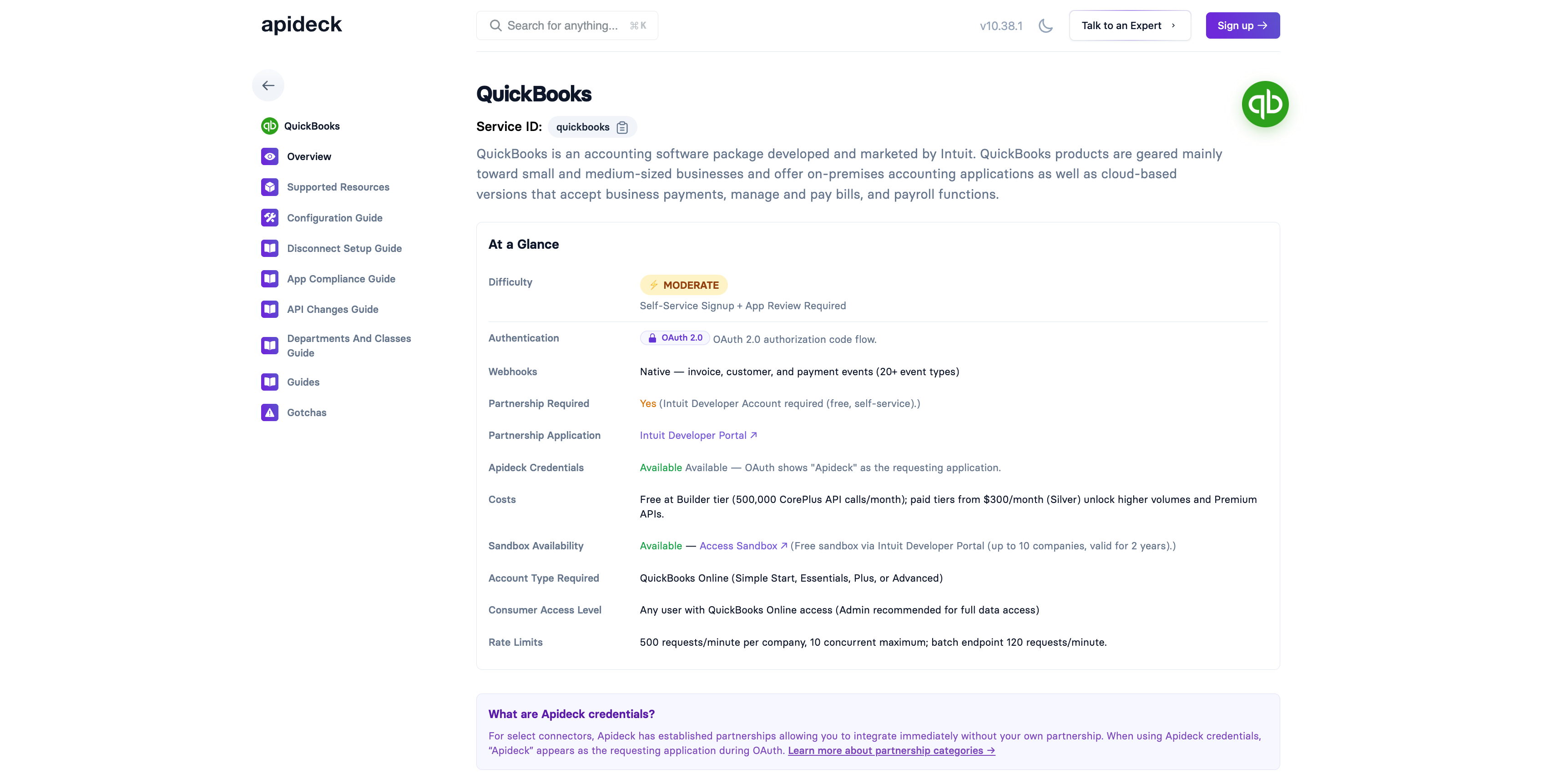
Each revamped connector page opens with an At a Glance table covering the pre-build facts: how easy or involved the partnership and credential process is and why, the authentication model, webhook support, whether the platform requires a partnership, what it costs, whether a sandbox exists, what your users need on their side, and the rate limits you will meet in production. Below it, a responsibility matrix gives every setup step a clear owner before the project starts.
Even a platform as involved as NetSuite now reads as a plan rather than a puzzle. The NetSuite overview tells you that authentication runs on Token-Based Authentication, NetSuite's OAuth 1.0-based scheme, and that Apideck provides virtual webhooks where native ones do not exist. It tells you how tax data behaves when SuiteTax is enabled, and even that Oracle will retire SOAP endpoints with release 2028.2: exactly the kind of horizon a project plan should include.
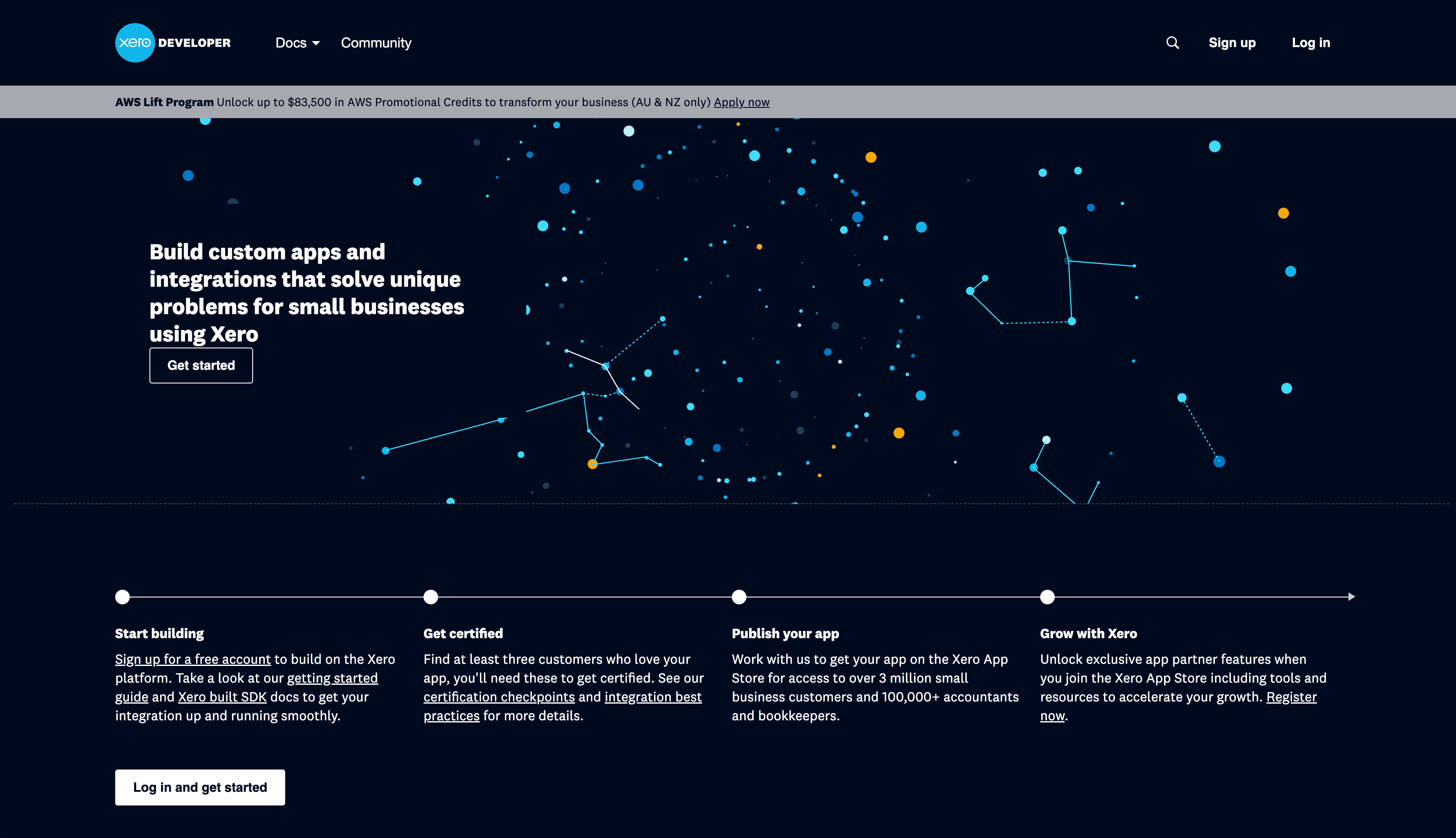
The Xero overview lets you sequence the work: self-service OAuth gets you live quickly, and app partner certification unlocks scale when you need it. Token lifetimes (refresh tokens expire after 60 days if unused) and rate limits are stated up front, so refresh handling and sync frequency become early design decisions. All of that used to be learned from a certification reviewer or an error log; now it is the first screen of the documentation.
The QuickBooks overview shows how much ground one screen can cover. Rated Moderate: signup is self-service, with Intuit's app review required before you go live. The free sandbox and the rate limits sit in the At a Glance table, and the App Assessment Questionnaire that gates production access is flagged early enough to schedule the review like any other milestone.
The overview is one tab of several
Two guides complete the set, each written for a different reader. What used to be called the OAuth credentials guide is now the Configuration guide, and its content is being reworked to match the broader name. It is written for the application owner, our customer: the setup you do on the platform side before your integration can go live, starting with app registration and credentials. The Connection guide faces the other direction. It is for your users, the people connecting their own QuickBooks or Xero account to your product, and it walks them through that connect flow. It stays, and it is being reworked with the same care as the overviews.
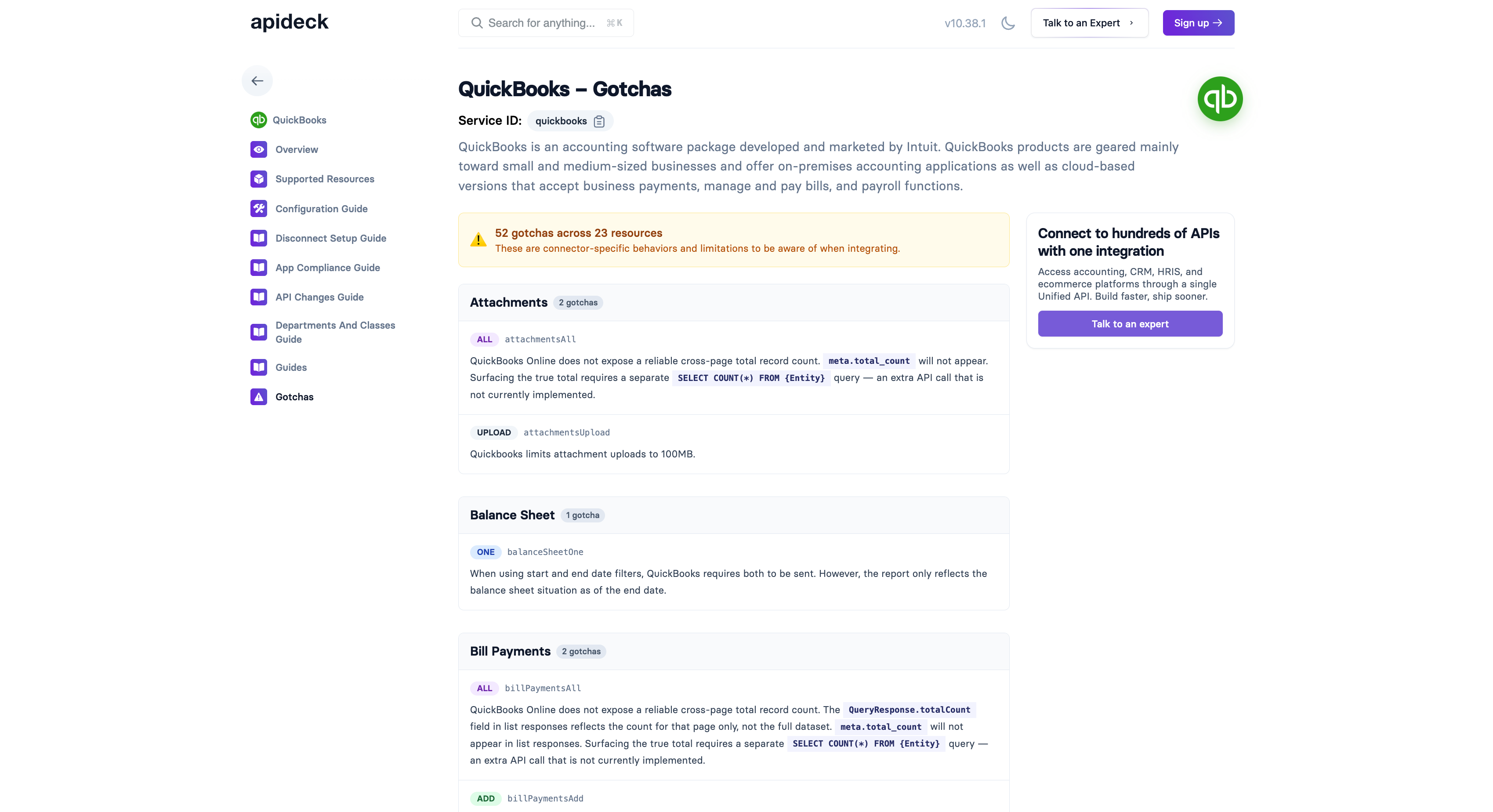
Supported resources now live on a tab of their own, with room to be exhaustive: every resource shows the fields we support and the platform object it maps to, so you can confirm data coverage before writing a line of code. Gotchas also became a separate page: every documented platform quirk, organised per resource and searchable in one place. That page is the accumulated experience of building and running these connectors, and it is yours before the first sprint.
The rest of the catalogue
Documentation is part of the product. Your integration journey starts before the first API call, so that is where the product should start helping. These pages are the template: we are updating the entire catalogue to the same standard, starting with the most important connectors, and new connectors will ship with documentation in this format from day one.
If you are scoping an accounting integration, start with the overview page for the platform you have in mind. Ten minutes there replaces what used to take a discovery call. Everything on these pages is checked against our own knowledge base and the platform's official documentation, but if you spot something missing or outdated, tell us: documentation like this stays useful only if the people building on it can correct it.
Ready to get started?
Scale your integration strategy and deliver the integrations your customers need in record time.